Choosing an St Pmic Replacement is rarely a simple matter of matching package size or output voltage. A power management IC sits at the center of a system’s power tree, controlling rails, sequencing, protection, and sometimes battery charging. A near match may still create startup failures, unexpected heat, or unstable voltage under load.
This guide presents seven practical tips for evaluating a replacement with greater confidence. It considers electrical specifications, pin compatibility, sequencing behavior, thermal performance, availability, documentation, and real-world testing. Engineers should compare the original datasheet with the candidate device line by line. Check every rail. Confirm current margins. Review enable thresholds and fault responses.
Bench testing matters.
A replacement that works on paper may fail with long cables, a weak adapter, or changing temperatures. Use an evaluation board when possible, then test the actual PCB with an oscilloscope, electronic load, and thermal camera. Record startup waveforms and ripple at light and full load. Consult authorized distributors and manufacturer application notes for lifecycle and support information. These sources are usually more dependable than copied marketplace listings.
Still, no checklist removes every risk. Some older designs contain undocumented assumptions, and engineers may overlook them during a rushed redesign. That is an uncomfortable possibility. Treat the seven tips as a disciplined starting point, not a guarantee. Careful comparison, controlled testing, and independent review can reveal problems before production makes them expensive.
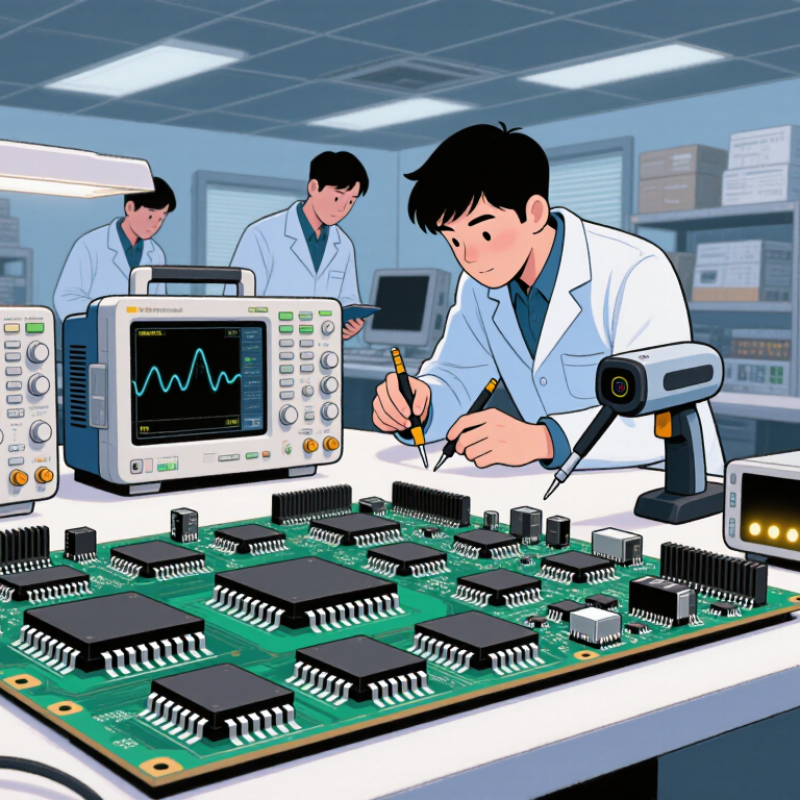
Before selecting a replacement, document the original PMIC’s complete power profile. Record the input voltage range, output rails, maximum current, switching frequency, and required voltage accuracy. Nominal values are not enough. Check the startup sequence, enable logic, power-good thresholds, and shutdown behavior. A replacement may produce the correct voltage but still fail during boot.
Measure the real circuit under normal and peak loads. Use an oscilloscope to inspect ripple, startup overshoot, and transient response. A processor rail drawing 800 mA during a brief load step can expose weaknesses that a steady bench test misses. Note the inductor value, output capacitance, feedback network, and thermal conditions around the package. Heat matters.
Review protection features carefully. Confirm current limiting, short-circuit behavior, thermal shutdown, and reverse-voltage tolerance. Also compare the pinout and PCB footprint before approving the part. I once focused too heavily on output current and overlooked enable polarity. The prototype required a board change. That mistake was avoidable.
Keep a measured requirements table, not only a copied datasheet summary. Include worst-case input voltage, ambient temperature, startup load, and allowable ripple. Leave room for aging and component tolerance. Perfect assumptions rarely survive hardware testing.
Replacing a PMIC requires more than matching its package and pin layout. Start with the voltage rails. Record each input range, output voltage, tolerance, and sequencing requirement from the original datasheet. A close nominal value is not enough. A processor may reject a rail that drifts during startup. Check fixed or adjustable feedback, soft-start timing, and power-good thresholds. These details often decide whether a board boots reliably.
Current ratings need real operating data, not optimistic estimates. Measure peak current during radio bursts, motor starts, display activation, or processor wake-up. Compare those peaks with the replacement’s continuous and transient ratings. Leave practical headroom. A converter rated exactly at the measured peak may run hot and age faster. Verify switch-node limits, inductor requirements, and current-limit behavior. I have seen prototypes pass bench tests but reset under a fast load step.
Power regulation also includes efficiency, ripple, thermal performance, and fault response. Calculate losses across the expected input range, then inspect the PCB’s hottest area with a thermal camera. Confirm ripple at the load, not only beside the regulator. Check shutdown, short-circuit, overvoltage, and undervoltage protection. Pin compatibility can save layout time, but it cannot replace electrical validation. Laboratory loads rarely represent every field condition. Test cold starts, low-battery operation, long cable drops, and simultaneous rail activity before approving the substitute.
Match voltage, current, and power-regulation specifications before approving a replacement device.
The chart uses representative power-rail requirements. The horizontal axis shows nominal output voltage, the vertical axis shows maximum load current, and bubble size represents calculated output power.
Choosing a PMIC replacement begins with the pinout, not the part number. Compare every pin function against the original device. Check input, output, enable, feedback, ground, and power-good connections. A similar package can hide a different internal pin arrangement. One swapped feedback pin may create an unstable output or damage nearby components. Mark each pin on a printed schematic. It reduces rushed assumptions.
Package details deserve equal attention. Confirm the body dimensions, lead spacing, exposed pad, and thermal-pad position. Measure the existing footprint on the PCB, including courtyard clearance. Some packages look identical from above but use different pad layouts. Check the recommended land pattern in the technical documentation. Do not rely on distributor images. They are often simplified.
PCB compatibility also includes electrical and thermal behavior. Compare voltage ranges, current limits, switching frequency, and protection thresholds. Confirm that surrounding inductors, capacitors, and compensation parts remain suitable. Inspect the board for tight clearances near the replacement package. Heat spreading matters, especially beneath an exposed pad. Use the manufacturer’s layout guidance and verify copper area with the actual board files. A bench test with a current-limited supply can reveal surprises early. I have trusted a matching footprint before, and the thermal result was disappointing. Recheck it.
Compare Thermal Performance and Protection Features
A replacement PMIC should survive the real load, not only pass a bench test. Check efficiency at light, typical, and peak loads. A few percentage points can change the board temperature noticeably. Measure the case temperature after the system reaches thermal equilibrium. Do not trust a quick finger test. I once underestimated heat because the test lasted only three minutes.
Compare junction-to-ambient thermal resistance, recommended copper area, and exposed-pad requirements. Review the thermal shutdown threshold and recovery behavior. A lower resistance value helps, but PCB layout still matters. Use a thermal camera when possible, then confirm results with a contact probe. Watch for hot inductors and nearby capacitors, not just the PMIC package. Small details matter.
Protection features need equal attention. Check input overvoltage, undervoltage lockout, overcurrent, short-circuit, and thermal protection. Confirm whether overcurrent protection uses hiccup, latch-off, or constant limiting. Their recovery behavior can affect processors and communication modules. Test startup with a weak battery and a sudden load step. Also compare fault-reporting signals and delay times. A datasheet may list protection functions without showing their timing. That gap deserves investigation. The safest choice is not always the part with the longest feature list. It is the device whose thermal limits and fault responses match your measured operating conditions.
When choosing an ST PMIC replacement, availability deserves more than a quick distributor search.
Tip 1: Check stock across several authorized channels, not one online listing.
Tip 2: Ask for factory lead times, minimum order quantities, and current allocation status.
A full shelf today may not protect next year’s production. Review last-time-buy notices, change notifications, and lifecycle statements before approving the part.
Quality must be verified with evidence.
Tip 3: Compare electrical limits, thermal ratings, startup behavior, and protection features against the original design.
Tip 4: Request traceability, date-code information, inspection records, and certificates from the supplier.
Tip 5: Test samples under real load conditions, including cold starts, voltage dips, and extended heat exposure.
A clean datasheet is not proof. Bench results matter more. I once underestimated inrush current during a replacement review, and the prototype failed only after repeated restarts.
Long-term supply stability needs a practical risk check.
Tip 6: Evaluate the manufacturer’s production history, package continuity, and change-control process.
Tip 7: Confirm whether future orders can use consistent materials and specifications.
Keep approved samples, test reports, and supplier contacts in one controlled file. Do not rely on verbal promises. A written supply agreement is stronger. Still, forecasts can be wrong, especially during sudden market shortages. Build a qualified second source when the design and budget allow, then review supply risk every quarter.
Record input voltage, output rails, maximum current, switching frequency, and voltage accuracy. Nominal values alone are insufficient.
A replacement may provide correct voltages but fail during boot. Check soft-start timing, enable logic, sequencing, and power-good thresholds.
Measure the circuit during normal and peak operation. Use an oscilloscope to capture ripple, overshoot, and transient response.
Short load bursts can exceed steady measurements. Processor wake-up or display activation may briefly demand much more current.
Do not select a device rated exactly at the measured peak. Extra capacity reduces heating and aging stress.
Check the inductor value, output capacitors, feedback network, and required switch-node limits. Small differences can affect stability.
Confirm current limiting, short-circuit response, thermal shutdown, overvoltage protection, and undervoltage protection.
No. Pin compatibility saves layout time, but electrical validation remains necessary. Enable polarity can still cause failure.
Calculate losses across the input range and inspect the hottest PCB area with a thermal camera. Heat matters.
Test cold starts, low-battery operation, cable voltage drops, peak loads, and simultaneous rail activity. Bench tests miss things.
Choosing the right St Pmic Replacement requires a careful comparison of the original device’s electrical, mechanical, and operational requirements. Begin by documenting the input and output voltage ranges, maximum load current, power limits, regulation accuracy, efficiency, switching frequency, and required control functions. The replacement should match or exceed these specifications to ensure stable performance under normal and peak operating conditions. It is also essential to verify the pin configuration, package dimensions, thermal pad arrangement, and PCB layout compatibility before making any design changes.
Thermal performance and protection features are equally important. Check operating temperature limits, heat dissipation, overload protection, short-circuit response, undervoltage and overvoltage safeguards, and startup behavior. Finally, evaluate component quality, manufacturing consistency, supply availability, lifecycle status, and long-term sourcing stability. A suitable replacement should not only function correctly during initial testing but also support reliable production and maintenance over time. Careful evaluation of these factors can reduce redesign risks, improve system durability, and help ensure a smooth transition.

Olukey